
Design software / Buying guide
5 Canva alternatives for the work you actually do
TLDR
Adobe Express is my first pick for everyday posts, flyers and short videos. Choose VistaCreate for free downloads, Snappa for quick graphics, or Visme and Piktochart for data-heavy pages.
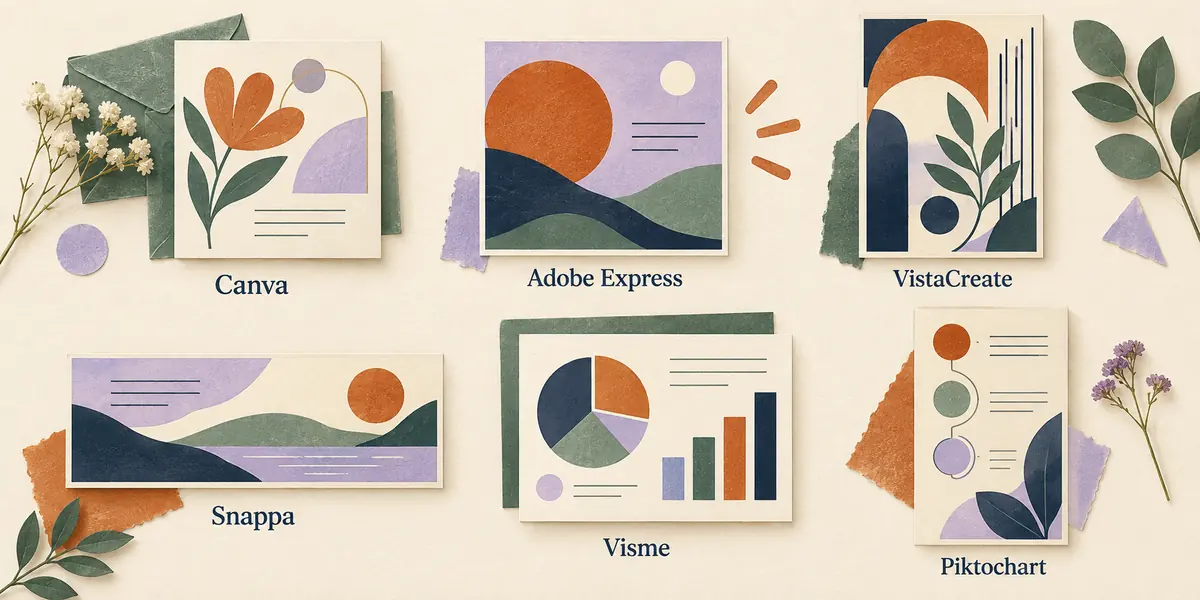
A design app can be cheap and still cost you an afternoon. The catch may be a locked download, a font you cannot move, or a chart that turns into a flat picture. I would choose between Canva alternatives by the file I need to hand over. Then I would check the price.
For most small design jobs, Adobe Express is my first choice. VistaCreate is worth a look when free downloads matter most. Snappa suits quick graphics. Visme and Piktochart make more sense when a page has to explain data.
The best Canva alternatives by the job
These five graphic design tools cover different needs. A tool for a report does not need to be your tool for every social post. Here is where I would start.
| Design tool | Best reason to choose it |
|---|---|
| Adobe Express | An everyday mix of posts, flyers and short videos. |
| VistaCreate | A free starter plan with broad download choices. |
| Snappa | Quick blog graphics and simple static graphics. |
| Visme | Reports, charts and content you share online. |
| Piktochart | Infographics that turn a page of facts into a clear story. |
Free plans and prices below reflect the US-facing offers on September 28, 2026. A price billed by the year is not a month-to-month bill. Check the total at checkout before you commit.
1. Adobe Express: my first pick for everyday design
Adobe Express fits the work that sends most people looking for Canva alternatives: social media posts, a flyer, a short clip and a quick change to an image. It puts basic editing tools, templates and stock assets in one browser app.
The free plan includes Adobe Fonts, a limited set of Adobe Stock assets and basic photo and video editing. You can also schedule content to one account per social network. That is a solid free plan for a small business with modest needs.
Adobe Express Premium is listed at $9.99 a month with no annual commitment. It adds brand kits, one-click resize and a larger asset library. Those help when one design must fit more than one size. I would pay to save time on that task. More templates alone would not sway me.
Already use Adobe apps?
Do you use Adobe Creative Cloud? Check your plan before you pay twice. Some Creative Cloud plans include Express Premium. Shared files may also help a team that uses Adobe apps. There is less to move from one place to the next.
What I like: a broad set of creation and editing tools, with room to grow beyond a single kind of post.
The catch: the free version does not include every brand or resize feature. A template-led design tool also has limits when you need close control of each point in a logo.
2. VistaCreate: a useful free Canva alternative
VistaCreate is a good place to look when you want to make a design and take the file with you. Its free Starter plan includes unlimited downloads in formats such as PDF, JPG, PNG, MP4 and GIF. It also includes a Brand Kit for your fonts, colors and logo.
That is why it makes my list of free Canva alternatives. Can you finish a few small jobs each week for free? That may be worth more than a large app with a tight download cap.
There are social media templates, print layouts and basic editing features. Choose a format first, then replace the sample text and graphic elements. Keep the layout calm. A template is a starting point, not a reason to fill every blank space.
What I like: free files in a range of formats. Your brand assets have a home too.
The catch: some content and tools need Pro. A free account does not make every item in the app free. Check the assets in your chosen design before you spend time on it.
3. Snappa: an affordable Canva alternative for simple graphics
Snappa is the design tool I would shortlist for blog headers, wide banners and quick image quotes. Its drag and drop editor keeps the task clear. Choose a size, place a photo, add a heading and export.
The free Starter plan gives one person three downloads per month. That can suit a small side project. It is a poor fit if you post each day. The rest of the free plan may feel quite broad, but the cap is real.
Snappa Pro is $15 when billed monthly, or $10 per month billed yearly. It adds unlimited downloads, custom font uploads and background removal. The free and paid plans both have access to its photo and graphics library.
I would weigh that cost against the actual work. If you need a simple photo editor for a crop, some text and a clean background, a focused app may help you finish sooner. If you need complex video editing or a long report, choose from the other Canva alternatives here.
What I like: a narrow set of tasks and clear download limits.
The catch: three free exports run out fast. Teams have their own plan. A solo plan is for one person.
4. Visme: better suited to charts and reports
Visme earns its place among Canva alternatives when the content needs structure. Think of a report with charts or a short sales deck. You can also make a web page that readers can explore. For marketing teams, those tasks can matter more than a huge choice of social templates.
Visme features include charts and data widgets. There are tools to build slide decks too. I would use them to tell one clear story. What changed? Why does it matter? What should the reader do next? Data visualization still needs a point. More charts do not make a weak argument stronger.
Export is the detail to watch. Visme's plan comparison places JPG, PNG and PDF downloads in Starter. Its Pro tier adds formats such as PPTX and HTML5, plus brand and privacy controls. Do not assume the free plan will hand over the file your client wants.
What I like: tools to help you turn facts and charts into a clear report.
The catch: key downloads and team features depend on the paid tier. Check what the team needs before you invite them all to join.
5. Piktochart: a design tool for visual explanations
Piktochart is my pick when the hardest part is fitting a set of facts onto one clear page. Its charts, maps and infographic layouts suit a survey result, a short guide or a set of steps. The goal is to help people see the point without reading a wall of text.
It has a free plan, but its download rules are worth reading first. The current comparison lists two downloads on Free. Both Free and Pro list PNG exports; Business adds PDF and PowerPoint. Keep that in mind for print work. It matters when you must hand over slides that a client can edit too.
Among these Canva alternatives, I would choose Piktochart for a focused infographic before choosing it as a general photo editor. Its strengths make more sense when numbers, labels and a reading order drive the design.
What I like: a good fit when you need to show what a set of facts means.
The catch: a polished page is not enough if your plan cannot export the format you need. Check the business plan if the job calls for PDF or PowerPoint.
Which free Canva alternatives are worth your time?
I would start with Adobe Express for a mix of tasks, or VistaCreate if free downloads are the main need. Both give you room to make real work before you decide whether premium features are worth the bill.
Snappa's free plan suits light use. Visme and Piktochart are useful places to build a draft, but read the export limits before making them part of a client deadline. Free may mean you can use the editor. It may still cost money to get the file.
A free Canva alternative should pass a small, real test. Make one post with your own photo, one heading and your actual logo. Then download it. Open that download at its intended size. Look for a changed font. Check for a white box where you meant to have a clear background.
Choose graphic design tools by the final file
The best Canva alternatives are not always the apps with the most features. I care more about whether the next person can use the result. A shop may want a print PDF. A web editor may want a small PNG. A client may need text they can change.
Start with three questions. What must I export? Who needs to edit it? Which task will I repeat next week? Those answers will tell you more than a long list of editing tools.
For brand work, check font uploads, brand assets and who can change a shared template. A brand kit helps you use the same styles each time. It cannot fix small type or a crowded page. For marketing teams, look for tools to share clear comments. Check who can edit files and how you will hand work over.
Be wary of buying all the tools at once. A large asset library, cloud storage and animated elements may sound like great value. They only save time if you use them. A smaller app with the right exports may be the ideal tool for the job.
When a different kind of app makes more sense
Some work needs more than alternatives to Canva built around templates. If a logo must have clean, editable curves, use the guide to vectorizing an image. Tracing and node editing solve a different problem from placing a logo in a flyer.
If you need a fresh picture before you can build the layout, the Freepik AI guide explains where image generation fits. Keep the image and the type as separate parts. That helps when you need to make lots of edits.
And if Canva already meets your needs, there is no prize for moving. Keep it until another app solves a clear problem. My first move would be a small project in Adobe Express, followed by a check of the final export. The best Canva alternatives should earn their place through the work you can finish.